
AETHUS Steam Deck Compatibility, Performance Settings, and Controls
AETHUS holds a Playable rating on Steam Deck and runs through Proton with official gamepad bindings. Valve and developer Pawsmonaut Games provide full handheld input mapping, re-encoded video cutscenes, and cloud save synchronization across portable hardware configurations.
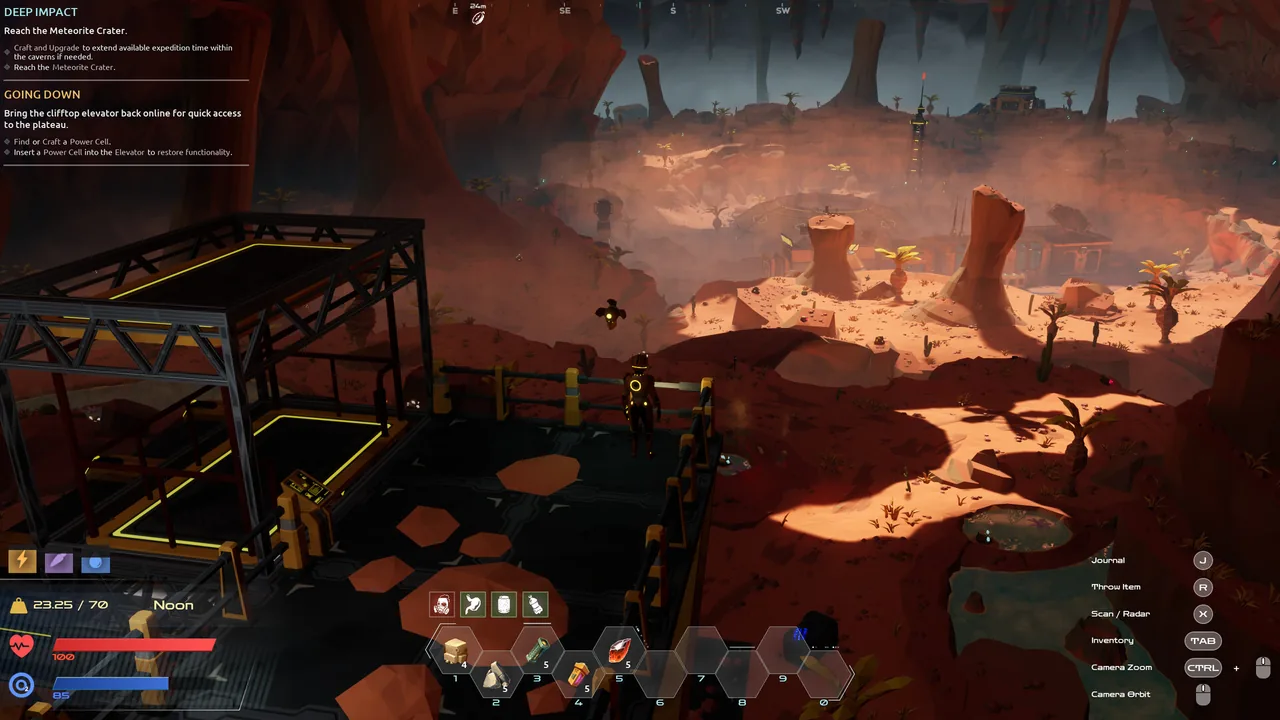
AETHUS holds a Playable rating on Steam Deck and runs through Proton with official gamepad bindings. Valve and developer Pawsmonaut Games provide full handheld input mapping, re-encoded video cutscenes, and cloud save synchronization across portable hardware configurations.
Valve Verification and Proton Compatibility
Valve rates AETHUS as Playable on Steam Deck. Solo developer Alex Kane at Pawsmonaut Games developed the title on PC and tailored post-launch updates to resolve Linux-specific playback bugs on SteamOS.
Earlier builds experienced crashes during cinematic sequences because cutscenes used H.264 MP4 encoding, which Proton could not process due to licensing restrictions. Patch 1.022 resolved this problem directly by re-encoding in-game video files to run natively through Proton without secondary codecs or third-party workarounds. The campaign spans over 30 hours of narrative progression, as detailed in the overview on how long to beat, all playable on handheld hardware without external software layers.
Handheld Control Scheme and Button Layout
Patch 1.035 introduced dedicated gamepad integration, replacing the original mouse-centric interface with direct thumbstick navigation and contextual action triggers. Built-in Steam Deck controls mirror the desktop gamepad setup, allowing Maeve and her drone Roland to mine subterranean resources and manage base installations without extra community mappings. Further details on control profiles appear in the guide to controller support.
| Control Configuration | Best For | Operational Requirement |
|---|---|---|
| Standard Gamepad Bindings | Story progression, surface movement, and routine resource gathering | Left trigger hold combined with right stick movement for precision cursor actions |
| Touchpad Mouse Emulation | Blueprint rotation and dense grid placement in base building | Custom SteamOS input profile mapping trackpads to desktop mouse coordinates |
| Accessibility Assisted Input | Reading narrative logs in hazardous zones during long sessions | Activating the Log File Oxygen Drain toggle within the gameplay settings menu |
Holding the left trigger activates a visible 3D interface cursor controlled by the right analog stick. This dual-layer mechanic retains precise targeting for small terminals, inventory slots, and modular processing machines while preserving direct stick movement for general traversal.
Performance Settings and Hardware Adjustments
AETHUS requires 8 GB of system RAM, DirectX 11 support, and 4 GB of storage space. Handheld performance scales through the in-game display and graphics menus:
- Cap the SteamOS refresh rate and frame limit to 40 Hz or 45 Hz to maintain consistent delivery during heavy particle loads in the Lost World and Magma Rifts.
- Maintain standard rendering resolution at 1280x800 to keep UI text legible across HUD menus and dialogue boxes.
- Turn on the game modifier to disable Log File Oxygen Drain, introduced in Patch 1.022, which allows you to inspect lore archives without taking environmental damage.
- Set up remote resource transport through automated drone bays to transfer mineral loads into a central storage silo, keeping local rendering clutter minimal around base facilities.
- Select comfortable survival modifiers through the best difficulty options, which can be altered during active play without starting a new campaign save.
Transferring Demo Saves on SteamOS
AETHUS offers a standalone demo on Steam with progress transferring into the full release. On Linux distributions and SteamOS, Proton isolates individual AppIDs into unique directory prefixes. The demo uses AppID 2822250, while the full game uses AppID 2541530.
Steam Cloud synchronizes save files across compatible installations automatically upon boot. Players migrating local demo saves manually can copy character data from the demo prefix to the main release directory located at ~/.local/share/Steam/steamapps/compatdata/2541530/pfx/drive_c/users/steamuser/AppData/Local/StrikeTheEarth/Saved/SaveGames. Relocating these local files before launching the full version preserves outpost structures, equipment upgrades, and story progress achieved during the introductory chapters.
Next step
Ultrawide Settings
Configure native ultrawide resolutions and field-of-view settings in AETHUS or install the aspect ratio fix mod for stable monitor scaling.
Related Guides
Ultrawide Settings
Configure native ultrawide resolutions and field-of-view settings in AETHUS or install the aspect ratio fix mod for stable monitor scaling.
Xbox Release and Features
Review confirmed release windows, technical capabilities, controller adaptations, and platform features for the upcoming Xbox version of AETHUS.